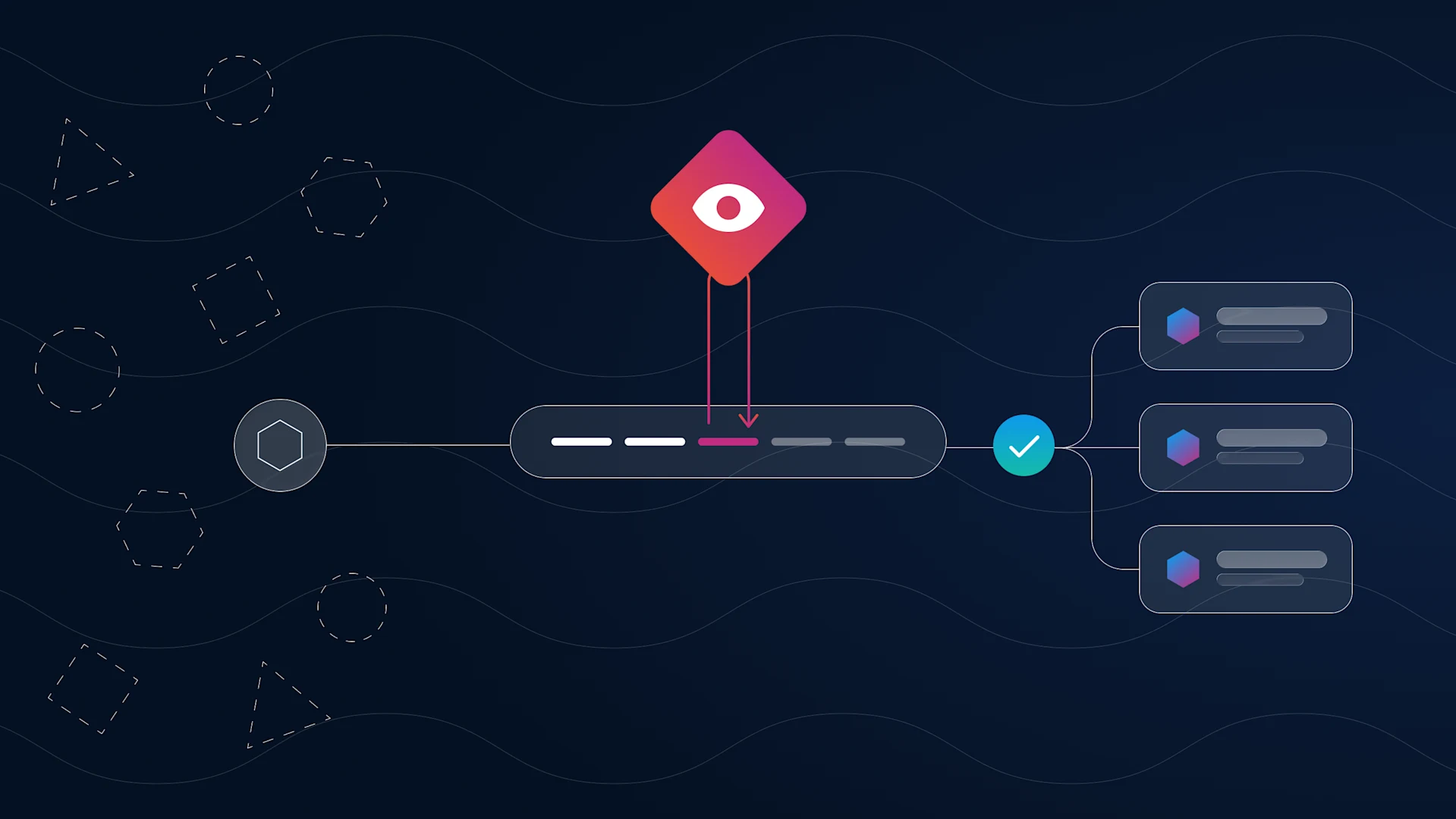
Supplier onboarding automation can take a slow, manual process and bring the information, checks, approvals, and setup work into one place.
For manufacturers, onboarding a new supplier may mean collecting company details, reviewing quality or compliance documents, carrying out risk checks, getting approval from several teams, and adding the supplier to internal systems.
That work rarely belongs to procurement alone. Finance, quality, compliance, and operations may all need to get involved before the supplier is ready to work with the business.
This article focuses on that onboarding period. Wider procurement automation covers more of the purchasing and procure-to-pay cycle, from buying goods or services through to supplier payment. Here, the focus is narrower: taking a supplier from initial intake, where information and documents are collected, through qualification, approval, and setup.
What is supplier onboarding automation?
Supplier onboarding automation uses software to manage the work involved in bringing a new supplier into the business.
That can start with company details and documents, then move through risk or compliance reviews, internal checks, approvals, and final setup in the systems the business uses.
Automating onboarding does not simply mean replacing a paper form with an online one. What happens next may depend on the supplier. One may move through the usual route without a problem. Another may need to provide more evidence, pass an extra check, or wait for someone to review a risk before the process can continue.
Some supplier onboarding software is mainly built around collecting data through a supplier portal, where suppliers enter information and upload documents. A broader supplier onboarding platform may cover more of what happens afterwards too, including reviews, exceptions, approvals, and setup.
An exception is anything that falls outside the normal route. Missing information is one example. An unusual risk finding is another.
The more of that work the system can keep connected, the less teams have to piece the onboarding process together themselves.
Why supplier onboarding is hard for manufacturers
Different suppliers need different checks
A manufacturer may work with suppliers of raw materials, components, machinery, packaging, maintenance services, or specialist expertise. They will not all need to provide the same information.
That makes manufacturing onboarding difficult to force into one rigid route.
Quality teams may need technical documents or certifications from one supplier but not another. Insurance details or other evidence may be required before approval. If something is missing or out of date, the process may have to stop while somebody checks what is needed.
Several teams may need to be involved
Procurement may start the onboarding, but other teams often have work to do before it can finish.
Finance might need to verify payment details. Quality teams may review supplier documentation. Compliance teams can carry out due diligence by checking the supplier and the information it has provided. Operations may need to confirm that practical requirements have been met.
Every handoff creates another chance for work to stall when the process depends on email, spreadsheets, or somebody remembering to chase the next person.
Risk and audit history matter
Risk is not only a compliance concern. It can have a financial impact too. Companies taking a proactive approach to supply-chain risk spend 50% less managing supplier disruptions than companies that do not.
There is another question manufacturers may need to answer later: how was this supplier approved?
The answer should not require somebody to search old inboxes. Teams may need to see which checks were carried out, what information was reviewed, who approved the supplier, and how an exception was dealt with. Keeping that history with the supplier makes it much easier to review later.
The supplier onboarding process, end to end
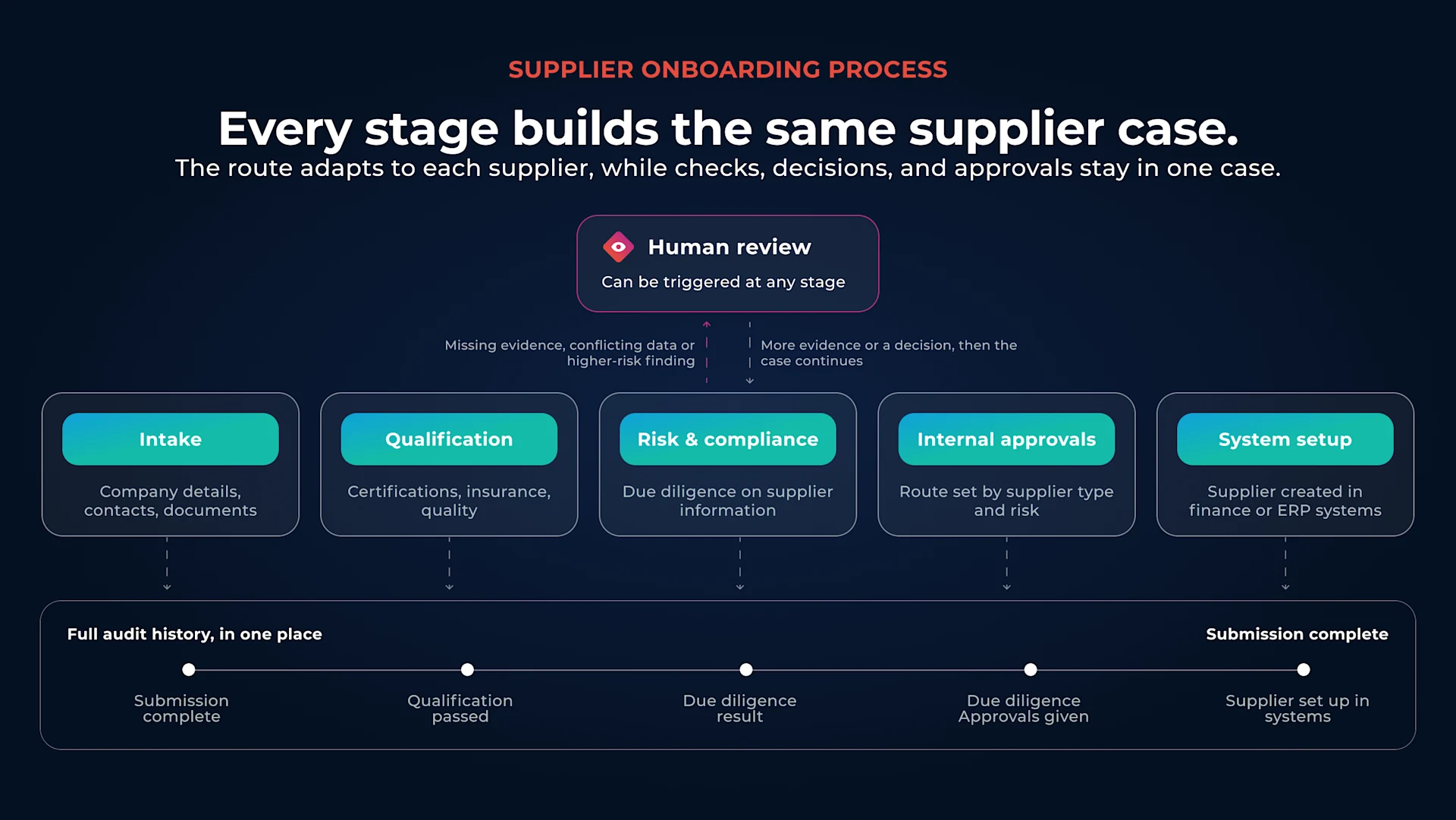
A supplier onboarding process works better when each stage belongs to the same supplier case.
Think of the case as the running record of one supplier’s onboarding. It holds the information collected, the checks that have taken place, decisions made along the way, and any approvals already given. The next team does not have to start again every time the work changes hands.
Starting the supplier onboarding workflow
The supplier onboarding workflow usually begins with basic company information, contacts, payment details, and whatever documents are needed for that type of supplier.
From there, the route can change. It may depend on what the supplier provides, the type of goods or services involved, or the checks the business needs to carry out.
Automation can deal with simple admin here. It can check that required fields have been completed, spot missing information, and move a complete submission on without waiting for someone to inspect it manually.
Supplier qualification
Next comes qualification: does the supplier meet the requirements for the proposed relationship?
The answer may depend on certifications, insurance, technical documents, quality evidence, or other supporting information.
Routine requirements can be checked automatically. If something is unclear, incomplete, or outside the expected criteria, the case can go to the person who needs to review it.
Risk and compliance checks
Risk and compliance checks will not always follow the same route either.
Due diligence may involve reviewing documents, confirming required information, or looking more closely at something the supplier has submitted. A routine result may let the case move on without delay.
A missing document or conflicting piece of information is different. So is a higher-risk finding. Those cases may need further evidence or a decision from a person before anything else happens.
Human review is therefore part of the process, not evidence that the automation has failed.
Internal approvals
Once the checks are complete, the supplier can be sent to the people who need to approve it.
Not every supplier needs the same route. Supplier type, risk level, or other information already held in the case may determine who needs to sign off.
A routine supplier can avoid reviews that do not apply. A case that needs more scrutiny can be directed to the right team before approval is given.
System setup and completion
Approval may still leave some practical work to do.
The supplier might need to be created in finance systems, supplier-management software, or an enterprise resource planning (ERP) system. ERP systems are commonly used to manage areas including purchasing, finance, inventory, and operations.
Approved information can then be passed into those systems without asking another team to type it all in again.
Because the stages belong to the same case, information does not disappear when the workflow moves forward. Checks, decisions, and approvals travel with it. If something unusual happens, a person can take over without having to reconstruct everything that came before.

Point-tool vs. orchestrated approach
A point tool handles one particular part of a wider process.
A supplier portal is a good example. It may do a perfectly good job of collecting information and documents, but supplier onboarding carries on after the form is submitted. Someone still has to deal with reviews, exceptions, approvals, and updates to other systems.
An orchestrated approach connects that work instead of leaving employees to fill the gaps themselves.
Area | Point-tool approach | Orchestrated approach |
Intake | Collects supplier information and documents | Connects intake to the work that follows |
Departments | Often serves one part of the onboarding process | Coordinates work across the teams involved |
Exceptions | May require separate manual follow-up | Keeps unexpected issues within the supplier case |
Approvals | Uses a predefined approval route | Can change the route according to supplier information or risk |
Systems | May leave teams transferring information between tools | Coordinates activity across the systems involved |
Audit history | Records activity within the individual tool | Keeps checks, decisions, approvals, and changes together |
When comparing supplier onboarding software, it is worth looking past the supplier-facing portal.
What happens if new information changes the route? Can somebody step in when a decision needs human judgement? Can the software work across the systems already used by the business without losing the history of the supplier case?
The way the work is modelled matters as well. Case Management Model and Notation (CMMN) is an open standard for case work that may change as the situation develops.
An open standard is a publicly defined way of modelling work, rather than a method designed for one software product. In supplier onboarding, CMMN can account for situations where a missing document, an extra check, or an unexpected finding changes what needs to happen next.
Process orchestration takes a wider view than automating one task at a time. It coordinates the people, systems, decisions, and exceptions involved in getting the supplier from intake to approval.
Adding AI to the mix? The same rule applies. A supplier portal on its own leaves gaps, and so does an AI agent working in isolation. In our on-demand webinar, Agentic AI Needs Orchestration: From Siloed Agents to Business Outcomes, we look at how to connect AI agents with people, systems, and decisions so they deliver real business outcomes, with governance and human oversight built in. [Watch the webinar →]
How Flowable approaches supplier onboarding
CMMN, BPMN, and DMN
Flowable can model supplier onboarding as a governed case. Rules, permissions, and human review determine how the work can progress, while the case keeps the information gathered along the way.
That matters when procurement, finance, quality, compliance, and operations all need to contribute. They can work on different parts of the onboarding without treating each handoff as a new piece of work.
Case Management Model and Notation (CMMN) is suited to the parts that may change as the case develops. If a supplier is missing documentation, needs another review, or falls outside the usual route, that work can remain part of the same case.
Business Process Model and Notation (BPMN) handles the parts that follow a more predictable sequence.
Decision Model and Notation (DMN) deals with decisions based on defined business rules. Those rules might determine which checks are needed or which approval route applies in a particular situation.
Human review and auditability
Automation does not remove the need for people to make decisions.
A rule may identify a supplier that needs closer attention, but the final decision can still go to the person responsible for it. The case waits for that input and carries on from there.
The same setup supports auditability. Teams can look back later and see what happened, rather than just seeing the final outcome.
Supplier information, checks, decisions, approvals, and exceptions remain in the case history instead of being spread across separate systems and inboxes.
For Flowable, that means routine work and less predictable cases can sit in the same supplier onboarding process. Teams still have visibility into why decisions were made and where human judgement was used.
See Flowable supplier onboarding in action
Every supplier is different, but your onboarding process doesn’t have to be a patchwork of emails, spreadsheets, and disconnected tools. Flowable brings intake, qualification, risk checks, approvals, and ERP setup into one governed, auditable case, with human review exactly where it’s needed.
Book a demo to see how Flowable can model your supplier onboarding process, from the first document to the final approval.
FAQ
What is supplier onboarding automation?
Supplier onboarding automation uses software to coordinate the work involved in bringing a new supplier into the business. It may cover information and document collection, checks, approvals, and final setup in internal systems.
How is it different from procurement automation?
Supplier onboarding automation deals specifically with assessing, approving, and setting up a supplier. Procurement automation is broader and may cover sourcing, purchasing, purchase orders, invoicing, and other parts of the procure-to-pay process.
What should a manufacturer automate first?
Start with the parts of onboarding that do not need much judgement. If a supplier has sent the right documents and the checks come back as expected, there is no need for someone to move the case forward by hand. Human review is better kept for missing evidence, conflicting information, or anything that raises a genuine concern.
Related Articles
Enterprise Case Management Software: A Guide to Choosing the Right Approach
See how enterprise case management software differs by architecture, what to look for, and how Flowable approaches governed case work.
What Is a Decision Engine? How It Works & DMN
Learn what a decision engine is, how DMN separates rules from process logic, and how Flowable governs decisions across every case.
Decision Tables Explained: A Business Rules Example for Non-Technical Teams
See a real decision table example for business rules automation, plus how Flowable models it using the open DMN standard.