
We have all seen it happen. A customer raises a routine issue that spirals into a mess. What began as a form submission now needs data from billing, sign-off from legal, and input from three different departments. Support teams increasingly deal with exactly this kind of exception-heavy work: tasks and decisions that shift based on what is happening in the moment, which can absorb more time and resource than the simple linear workflows most automation is built for. Deloitte's Global Contact Center Survey found that only 7% of contact centers can hand a customer between channels or departments while carrying full context and history with them — which is exactly the gap this kind of exception-heavy work falls into.
Standard workflows automate repetitive processes well, but they fall short when things get messy, change mid-flight, or need human judgment. Customer service case management software fills that gap, bringing order to exception-heavy support work and helping teams focus on outcomes rather than firefighting exceptions. If your current systems cannot keep up, it may be time to look at a case-based approach.
Automating customer support with case management software makes it easier for your team to organise work that does not follow a fixed route. It brings together everything tied to a particular customer situation, the tasks, data, documents and people, so the work can progress flexibly as the case develops.
Each case acts as a living container for a scenario: resolving a customer complaint, handling an escalation, processing a claim, or onboarding a client. Instead of being forced through a rigid series of steps, a case unfolds in response to what actually happens.
Customer service case management software supports this by bringing together each customer journey, the relevant data, the stakeholders and the automated steps, to enable:
Processes that respond to changes as they happen.
Centralised access to data, documents and case history.
Collaboration tools that bring teams together around the case.
Technology is strengthening these capabilities. Automated classification and routing give faster, more accurate triage of new cases. Intelligent document processing means scanned forms or incoming PDFs can be analysed, extracted and acted on quickly. AI can support case work where it makes sense, always under human oversight, so the person stays in control of the decision. Governing how AI agents operate within customer cases is what keeps that oversight real rather than theoretical
Traditional workflows work well when the path is clear and the rules are known. They shine in processes like invoice approval or IT access requests, where each step is predictable and outcomes rarely vary. In those areas they deliver speed, accuracy and repeatability.
Because they are rigid by design, traditional workflows fall apart when exceptions arise or a process has to shift mid-flight. Teams build workarounds, bypass the system, and fall back on spreadsheets or email to keep things moving. Structure gives way to improvisation, and control and efficiency are lost.
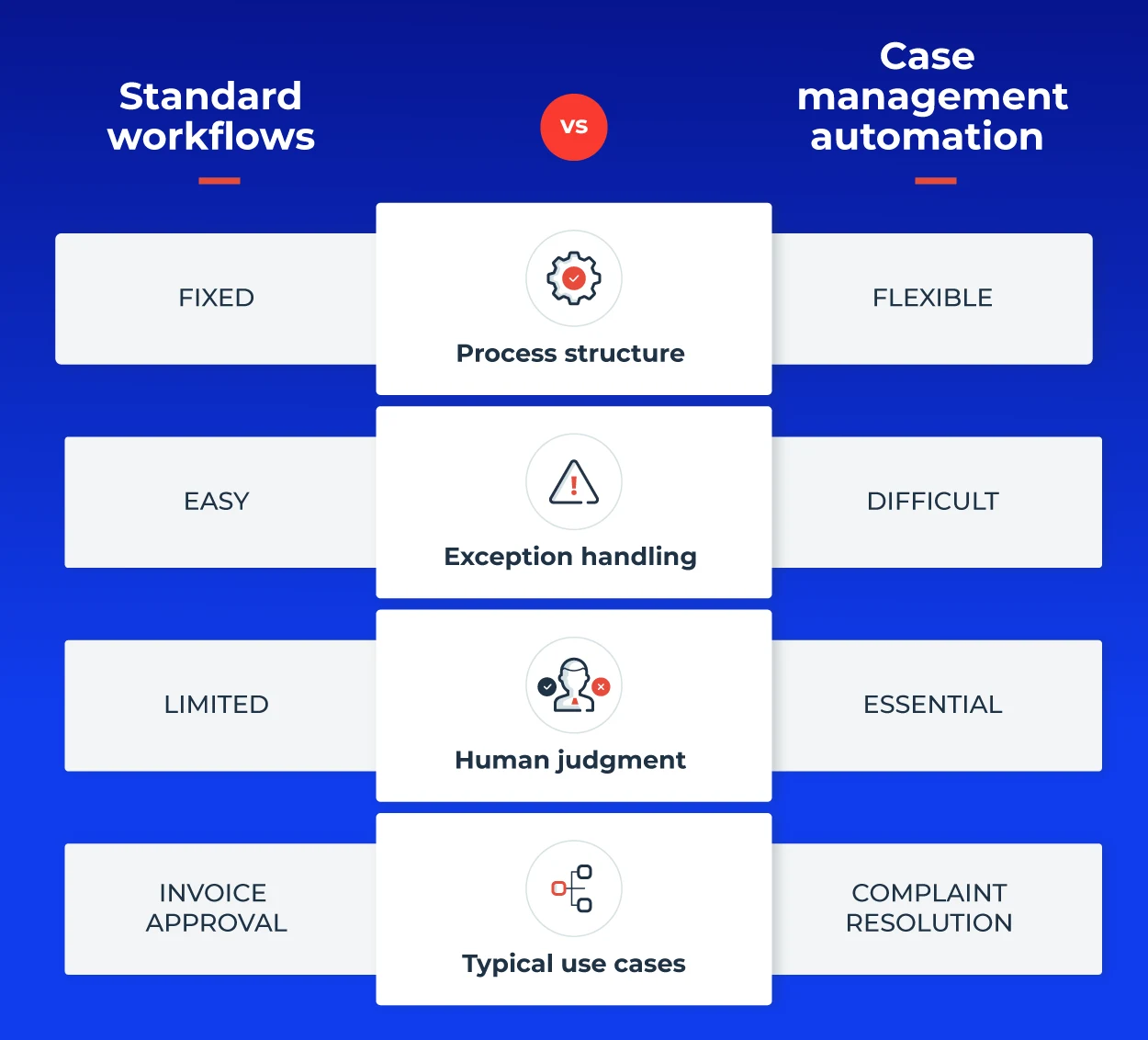

Customer service case management software is built for these moments. Rather than enforcing a fixed sequence, it lets each case evolve based on what is happening. Tasks appear or change as new information comes in, and support agents respond to the situation, not a script.
In most support operations there is room for both case management and standard workflows; they complement each other. Standard workflows suit linear, rules-based tasks. Case management is the better fit when the process varies, when human decisions matter, or when collaboration across teams is key. For a deeper look at how case management automation handles unplanned work specifically, see our dedicated breakdown.
Much of the work that drives real value in support, building customer trust, resolving issues and meeting demanding needs, cannot be pinned down by static, step-by-step processes. Support case management software brings order to the work that does not fit a traditional mold, giving teams the flexibility they need without losing structure or control.
It drives efficiency by adapting to what is happening in the moment. Teams can respond straight away rather than waiting to reconfigure a process or approve a manual workaround. The system supports what the situation demands instead of standing in the way.
That flexibility translates into business agility. Whether you are adjusting to new requirements or reacting to changing customer needs, cases can shift direction mid-flight. It is an approach that proves especially valuable in sectors like financial services, insurance and healthcare, where the cost of delay or error is high.
strengthens this further. Decision support can suggest next steps, flag inconsistencies, or highlight risks, giving support agents more confidence and speed. AI in case management does not replace human judgment but reinforces it with data-driven insight, and the orchestration layer governs how it operates across the case.
The benefits reach the customer directly. Case management brings the right people and processes together around each issue, so customers get faster, more accurate responses and every interaction reflects their specific situation, which builds satisfaction and loyalty.
Inside the organisation, everyone involved in a case sees the same information and updates in real time. That visibility means people understand their role, collaboration improves, and teams make decisions faster with greater clarity and accountability. Compliance also becomes easier to manage, because every step, decision and interaction is logged. That auditability helps meet regulatory requirements and reduces operational risk.
In short, customer case management software lets you handle exception-heavy support work with control. It fills the space standard workflows leave behind, enabling flexibility without sacrificing visibility. With AI embedded under human oversight, customer case handling becomes proactive rather than reactive, and built to scale.
Putting AI agents to work on customer cases? Learn how orchestration keeps AI-driven routing and case reassignment under control, with durable state, human-in-the-loop handoffs and full audit trails. Watch Flowable’s CTO and Principal Architect on demand. Watch the webinar here.
A few simple questions to ask:
Do your current workflows struggle to handle exceptions or non-standard scenarios?
Do teams frequently resort to manual workarounds to complete tasks?
Is important case-related work managed outside your core systems, in spreadsheets, shared folders or email?
If you answer yes to any of these, you likely need case management software. The good news is you do not need to overhaul everything at once. The best approach is to start small.
Choose a use case with concrete benefits, somewhere you can see the gaps clearly.
Build a pilot and let people use it so you can learn from their experience.
Once the new system proves its value, expand from there.
Ideally, you want to enhance what you already have, so choose a platform that integrates with your current systems. And remember, case management is as much about people as software. Bring your team along by providing detailed training and managing change carefully throughout.
Done well, customer service case management software brings structure to exception-heavy support work, flexibility to process, and confidence to decision-making. With AI added under human oversight, it becomes an engine for speed, insight and control, a practical fit for the reality of modern support work.
It is software that helps support teams manage work that does not follow a fixed route. Instead of pushing every issue through the same steps, each customer case acts as a container for the tasks, data, documents and people involved, and evolves as the situation develops. It suits exception-heavy support work such as escalations, complaints and multi-department issues, where the path is not known in advance.
A ticketing system is designed for high-volume, largely linear requests: log the ticket, route it, resolve it, close it. It works well when issues are predictable. Case management software is built for the issues that outgrow a ticket, where a single customer situation needs data, sign-off and input across departments and has to adapt as new information arrives. In practice the two work together, with ticketing handling routine requests and case management handling the exceptions.
Customer case management fits wherever support work is exception-heavy and collaboration matters, and it is especially valuable in regulated sectors like financial services, insurance and healthcare, where auditability and human oversight are essential. Typical examples are high-stakes escalations, complaint handling, and issues that span billing, legal and service teams and need everything logged for compliance.
Book a demo to see customer service case management software in action.

See how enterprise case management software differs by architecture, what to look for, and how Flowable approaches governed case work.

Learn what a decision engine is, how DMN separates rules from process logic, and how Flowable governs decisions across every case.

See a real decision table example for business rules automation, plus how Flowable models it using the open DMN standard.